
ByteMate – Your All-in-One Twitch Bot Dashboard
Everything you need as a streamer or moderator in a single dashboard: custom commands, chat alerts, overlays, giveaways, and more — no coding required.
✓ Already trusted by 479 creators and moderatorsWHAT IS BYTEMATE?
Your Complete Twitch Dashboard
ByteMate is a complete Twitch bot dashboard built specifically for streamers and moderators. Instead of juggling multiple tools and bots, ByteMate brings everything together in one place — from the chat bot to alerts, giveaways, and OBS-ready overlays.
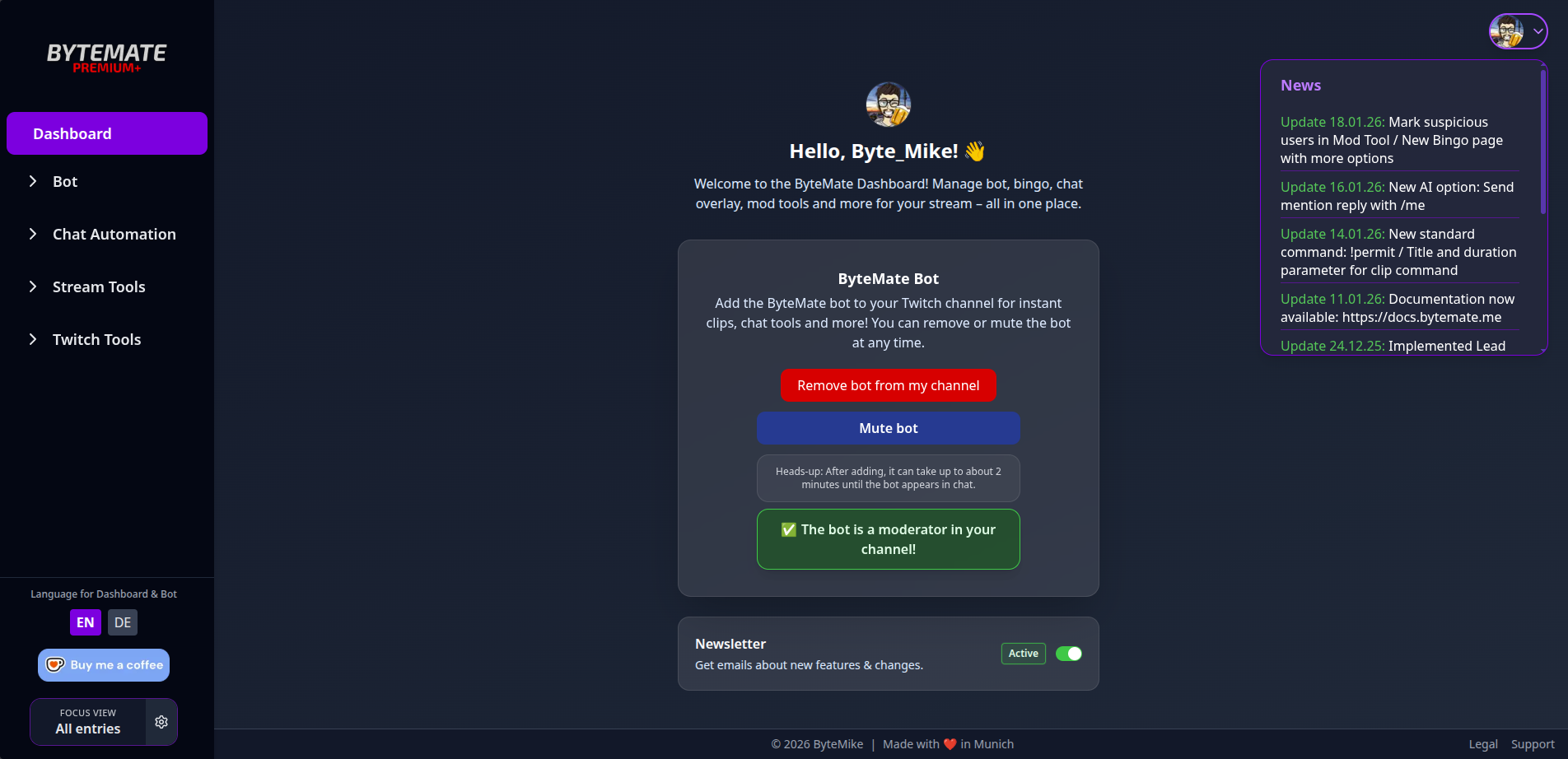
Setup takes less than five minutes. Simply sign in with your Twitch account, add the bot to your channel, grant mod permissions — done. All features are configured through the dashboard, with no code required.
Twitch Bot
Bot & Chat Features
⚡
Custom Commands
Create, edit, and manage your own chat commands. Pre-built default commands are also available alongside custom ones.
🔔
Chat Alerts
Automatic chat notifications for follows, subs, raids, cheers, and other Twitch events.
⏱️
Timers
Post recurring messages in chat at freely configurable intervals.
🔢
Counters
Counters for deaths, wins, or any other values, controlled via chat commands.
💬
Quotes
Collect funny or memorable moments from your stream and retrieve them with a command.
👁️
Watchtime Tracking
Automatically track viewer watchtime. Import existing StreamElements data or via CSV.
🎁
Giveaways
Create and run giveaways directly in the dashboard — no external tools needed.
📢
Raid Shoutouts
Welcome incoming raids with a message and clip in chat.
📊
Polls
Start and evaluate polls directly from the dashboard.
⭐
Auto VIP
Automatically grant VIP status based on your own defined criteria.
Moderation Tools
Moderation & Team Management
🛡️
Mod Access
Channel owners can define which dashboard sections their moderators can view and use — globally or individually per mod.
🔒
Multi-Channel Mod Tool
Ban, timeout, or restrict Twitch users across multiple channels simultaneously.
Analytics & Event Tools
🎬
Clip Finder
Search and manage clips for any channel directly in the dashboard.
📡
Raid Tracker
Overview of all incoming and outgoing raids.
⏳
Subathon Timer
Countdown timer for subathon events that automatically extends when new Twitch events occur.
AI AND INTEGRATIONS
Smart Features & Third-Party Integrations
☕
Donations
Receive donations directly through ByteMate – no third-party tools needed. Optionally triggers Chat Alerts and Subathon Timer.
🤖
AI in Chat
AI-powered responses directly in Twitch chat for more interaction.
📨
Discord Alerts
Automatically send stream notifications to your Discord server.
Stream Overlays
OBS-Ready Overlays & Tools
New · Beta
Overlay Builder
The editor where your overlay comes together: drag alerts, live values, countdowns, chat and your own images, videos and sounds onto a canvas and arrange them. The finished scene goes into OBS as one single browser source. Scenes, widgets and templates are unlimited and free – Premium only adds more storage for your own files.

Add these three overlays to OBS as individual browser sources – or combine them into one scene in the Overlay Builder.
🎯
Bingo Overlay
Interactive bingo for your community — define custom fields and embed the overlay directly in OBS.
💬
Chat Overlay
Display Twitch chat in your stream with 7TV emotes, badges, and profile pictures. 6+ design styles.
🎬
Clip Command
Viewers can create highlights with the !clip command. Also compatible with Nightbot, StreamElements, Fossabot, and Moobot.
PRICING
Free vs. Premium
Most features are free — optional Premium plans are available for advanced functionality.
| Feature | Free | Premium |
|---|---|---|
| Custom Commands, Alerts, Timers, Counters | ✓ | ✓ |
| Watchtime, Quotes, Giveaways | ✓ | ✓ |
| Raid Shoutouts, Polls, Auto VIP | ✓ | ✓ |
| Chat Overlay, Bingo Overlay, Clip Command | ✓ | ✓ |
| Overlay Builder (scenes, widgets, templates) | ✓ | ✓ |
| Media library for your own images, videos & sounds | 50 MB | 1 GB |
| Clip Finder, Raid Tracker, Mod Access | ✓ | ✓ |
| ByteMate Donations | ✓ | ✓ |
| Ko-fi/Tipeeestream Integration | ✓ | +Subathon Timer |
| Discord Alerts | ✓ | +more Alerts |
| Subathon Timer | ✓ | +Styling & Donations |
| AI in Chat | – | Premium |
| Auto Raid Shoutouts | – | Premium |
| Switch Chat Identity | – | Premium |
| Multi-Channel Mod Tool | – | Premium |
| Bingo Overlay (extended) | – | Premium |
ByteMate Premium: from €3.99/month or €39.99/year. Mod-Tool-only: €0.99/month. All other features are free.
GET STARTED
Up and Running in 5 Minutes
From sign-up to a running bot — in less than five minutes.
1
Open the Dashboard
Go to bytemate.me and sign in with your Twitch account.
2
Add the Bot
Click “Add bot to channel” and grant mod permissions.
3
Choose Your Language
Use the language switcher in the bottom left of the dashboard.
4
Configure Features
Enable commands, alerts, timers, etc.
5
Go Live!
Done! ByteMate runs in the background.
BENEFITS
Why ByteMate?
🎯
Everything in One Place
No switching between different websites and tools.
🎨
Modern UI
Clean, uncluttered interface instead of overloaded menus.
🆓
Generous Free Tier
Most features are available without payment.
🛡️
Mod Access
Moderators can work directly in the dashboard.
🤖
AI Integration
Smart chat responses as a Premium feature.
🌍
English Interface
Fully available in English (and German).
Blog comparison links:
→ ByteMate vs. Nightbot
→ ByteMate vs. StreamElements
FAQ
Frequently Asked Questions
Yes, the vast majority of ByteMate is free — including commands, alerts, giveaways, overlays, and more. Optional Premium plans from €3.99/month are available for advanced features like AI in chat or Discord alerts.
No. Everything is controlled through a graphical dashboard — no code at all.
Yes. Overlays are added as browser sources in OBS. Also works with Streamlabs and XSplit. With the Overlay Builder you can also build a complete scene that goes in as a single browser source.
Currently Twitch only. YouTube support is planned.
Yes, you can import your watchtime from StreamElements or via CSV file.
Yes. With Mod Access you define which sections mods are allowed to see.
German and English. The language applies to both the dashboard and bot messages.
Viewers can donate directly via a link in the dashboard – without Ko-fi or other third-party services. Each donation optionally triggers Chat Alerts and the Subathon Timer.
Yes, in the Overlay Builder. Drag alerts, live values, countdowns, chat, the giveaway wheel, your donation goal and your own images, videos and sounds onto a canvas. Scenes, widgets and templates are unlimited and free; Premium only raises the storage for your own files from 50 MB to 1 GB.
Start Now!
Set up your Twitch bot dashboard in under five minutes — free, no installation required.