
Best Linux Distro for Beginners: 6 Options Compared
There are hundreds of Linux distributions, and switching from Windows takes exactly one. A distribution is a complete operating system: the Linux kernel plus a desktop, apps and a way to install updates – and the one you pick decides how Linux feels day to day. This page covers six candidates for the best Linux distro for beginners coming from Windows in 2026, including an honest word on who each one isn’t for.
Rather skip straight to a recommendation? The Linux quiz asks what you need in about three minutes and points you to one of these six.
The six at a glance
| Distro | Best for | Look | Updates | Nvidia driver | Community | Who’s behind it |
|---|---|---|---|---|---|---|
| Linux Mint | switchers, older PCs | like Windows 10 | stable, until 2029 | a few clicks | large forum | small team, donations and sponsors |
| Zorin OS | switchers who like it modern | modern, switchable layouts | stable, until 2029 | right from the USB stick | forum | small company in Dublin, Pro version |
| Ubuntu | anyone who wants the most guides | dock, closer to macOS | stable, until 2031 | checkbox during install | huge | company (Canonical) |
| Fedora | current software, developers | KDE or GNOME | new version every 6 months | terminal | large forum | community, backed by Red Hat |
| Bazzite | gaming, handhelds | KDE or GNOME | continuous, with rollback | dedicated version | Discord, forum | community (Universal Blue), donations |
| CachyOS | tinkerers, top performance | your choice, usually KDE | rolling release | automatic | wiki, forum, Discord | community, donations |
Linux Mint
Linux Mint has been the go-to recommendation for Windows switchers for years, and for good reason: Start menu in the bottom left, a taskbar, windows with the buttons you expect. The current release is 22.3 “Zena” from January 2026, built on Ubuntu 24.04 LTS and supported until 2029.
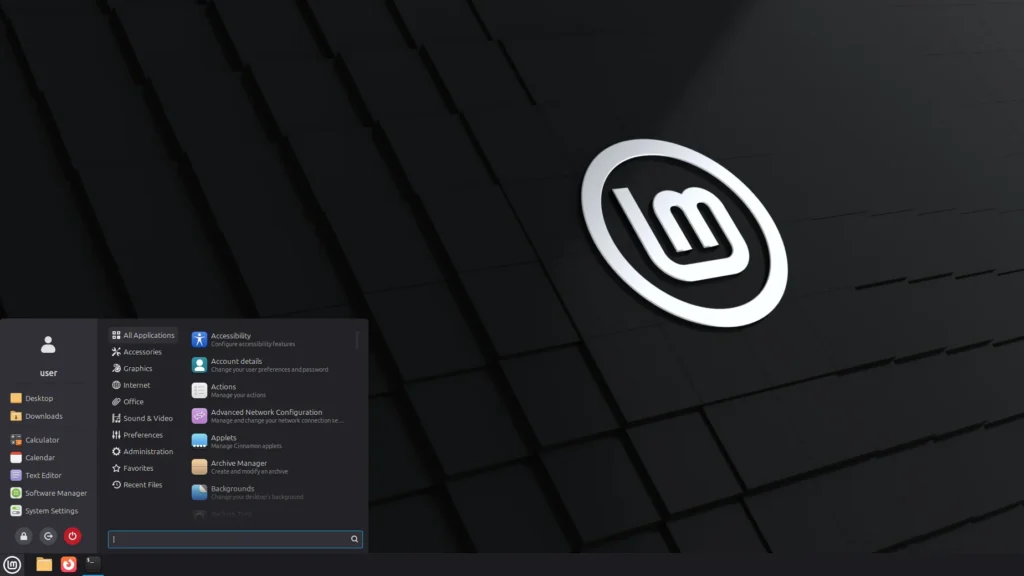
Best for. Anyone who liked Windows 10 and doesn’t want to relearn everything. Mint runs smoothly on computers that are too old for Windows 11, and almost everything works right after installing.
Not ideal for. Brand-new hardware, like a graphics card or laptop from the last few months. Mint’s base dates from 2024; it does ship newer kernels, but fresh chips usually work better sooner on Ubuntu 26.04 or Fedora. Linux Mint 23 on a new base is planned for December 2026.
Which version. The Cinnamon edition – it’s the flagship and the closest to Windows. If your computer has less than 4 GB of RAM, take the Xfce edition: Mint lists 2 GB as the minimum and 4 GB as recommended, and Xfce is the lightest of its three editions. Download from linuxmint.com.
Good to know. After installing, you set up the Nvidia driver in a few clicks in the Driver Manager. Mint also comes with Timeshift, which takes system snapshots you can roll back to if an update goes wrong.
Help. The official Linux Mint forums are big and friendly to beginners, and because Mint is based on Ubuntu, most Ubuntu guides apply as well.
Zorin OS
Zorin OS is built specifically for people coming from Windows. Version 18 launched on the day Windows 10 support ended and was downloaded more than two million times in under three months, mostly by Windows users. The current release is 18.1 from April 2026, also based on Ubuntu 24.04 LTS and supported until at least June 2029.
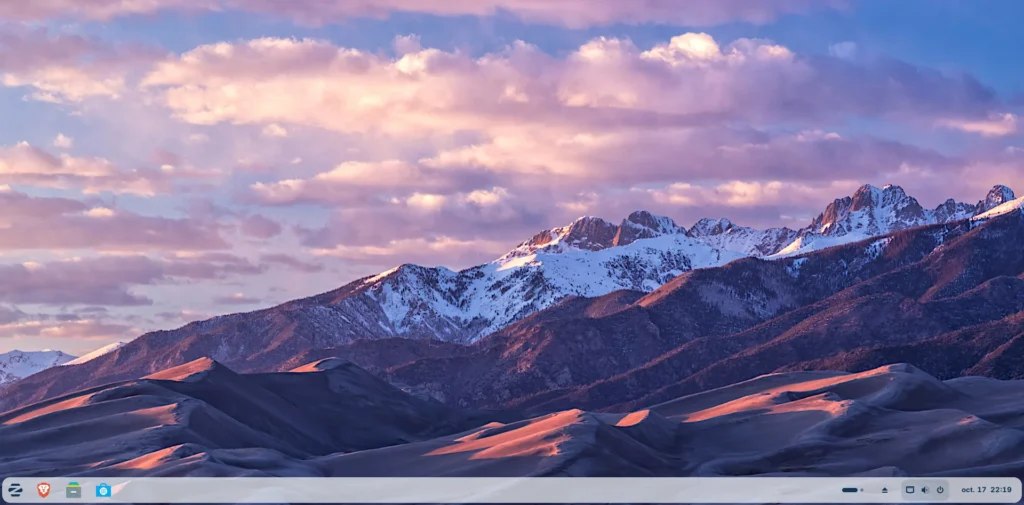
Best for. People who want something more modern than Mint. The taskbar floats at the bottom with rounded corners, and Zorin Appearance switches to a different layout in one click – a centered taskbar, for example. Many Windows programs start with a double-click on their .exe file.
Not ideal for. Like Mint, Zorin still sits on a 2024 base, so Ubuntu 26.04 and Fedora have the edge on brand-new hardware. And the layouts actually named “Windows 11” and “macOS” are among the eight extra layouts in the paid Pro version.
Which version. Zorin OS Core – free, with four layouts. Pro is a one-time purchase that adds more layouts, creative apps and installation support; you don’t need it to switch. Download from zorin.com.
Good to know. The Nvidia drivers are already on the USB stick: pick “Try or Install Zorin OS (modern NVIDIA drivers)” when it boots. According to Zorin’s help pages, you may need to turn off Secure Boot in the BIOS for that. Zorin also counts its users with an anonymous signal; if you’d rather it didn’t, opt out during installation, on the updates screen (Zorin OS Census).
Help. The Zorin Forum, plus the huge pool of Ubuntu guides that also work on Zorin.
Ubuntu
Ubuntu is the best-known Linux distribution and the foundation of both Mint and Zorin. Ubuntu 26.04 LTS “Resolute Raccoon” came out on April 23, 2026 with Linux 7.0 and GNOME 50, and it gets five years of updates, until April 2031.
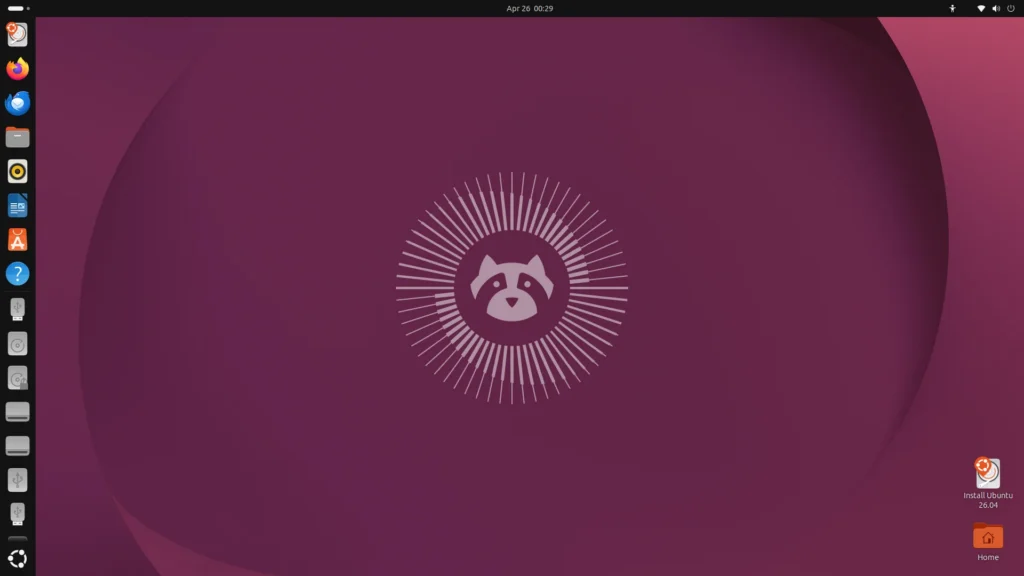
Best for. Anyone who wants the most guides to turn to: hardly any Linux has more of them, and many apps come out for Ubuntu first. Because 26.04 is fresh, new hardware usually works right away. The desktop, with its dock on the left, feels closer to macOS than to Windows.
Not ideal for. People who want a classic taskbar – or who never want to open a terminal. Ubuntu 26.04 dropped the “Software & Updates” app, so drivers and software sources are now managed with commands after installation. The App Center often installs apps as Snaps, Ubuntu’s own package format; they work, but an app’s first launch can take a little longer.
Which version. Ubuntu Desktop 26.04 LTS. The in-between releases without “LTS” only get nine months of updates and aren’t meant for switchers. Download from ubuntu.com.
Good to know. Tick the box for third-party software for graphics and Wi-Fi during installation, and the Nvidia driver comes along. If you forget, since 26.04 the only way is the terminal: sudo ubuntu-drivers install. Ubuntu asks during setup whether it may send system data to Canonical – nothing is sent unless you say yes.
Help. Ubuntu Discourse and one of the largest Linux communities on the web.
Fedora
Fedora gives you up-to-date apps without making you a beta tester. It’s backed by Red Hat; a new version arrives roughly every six months, and each one is supported for 13 months – so you move up one version about once a year. The current release is Fedora 44, with Fedora 45 due in November 2026. I use Fedora myself on my desktop PC.
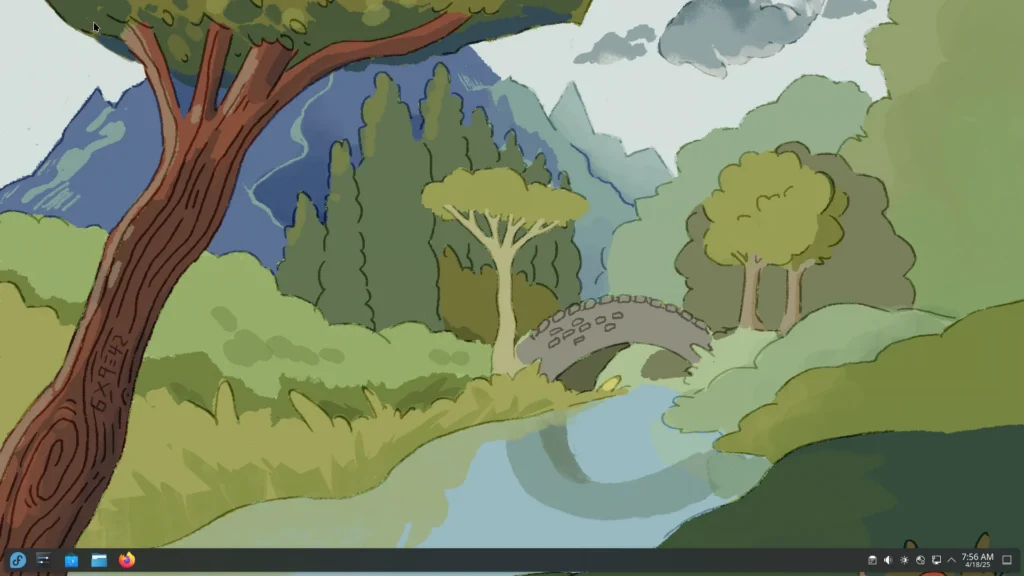
Best for. People who want current software but not a rolling release: new kernels and drivers arrive quickly, yet every version is well tested. Fedora is also very popular with developers.
Not ideal for. Nvidia owners who don’t want to touch a terminal. Fedora doesn’t ship the Nvidia driver; it comes from the RPM Fusion repository and takes a few commands to install.
Which version. Two equally good editions: KDE Plasma with a taskbar and Start menu, closer to Windows – or Workstation with GNOME, minimal and closer to macOS.
Good to know. For the Nvidia driver, follow the RPM Fusion guide after installing; with Secure Boot on, you’ll also enroll a key along the way. RPM Fusion is worth adding even without Nvidia, since Fedora only plays some video formats fully with it.
Help. Fedora Discussion, the official forum.
Bazzite
Bazzite is built for gaming. Steam and the key gaming tools are part of the system, and the graphics drivers come ready to go. Under the hood it’s Fedora, but in a form where the whole system updates as one image: if an update goes wrong, you simply pick the previous version at the next boot.
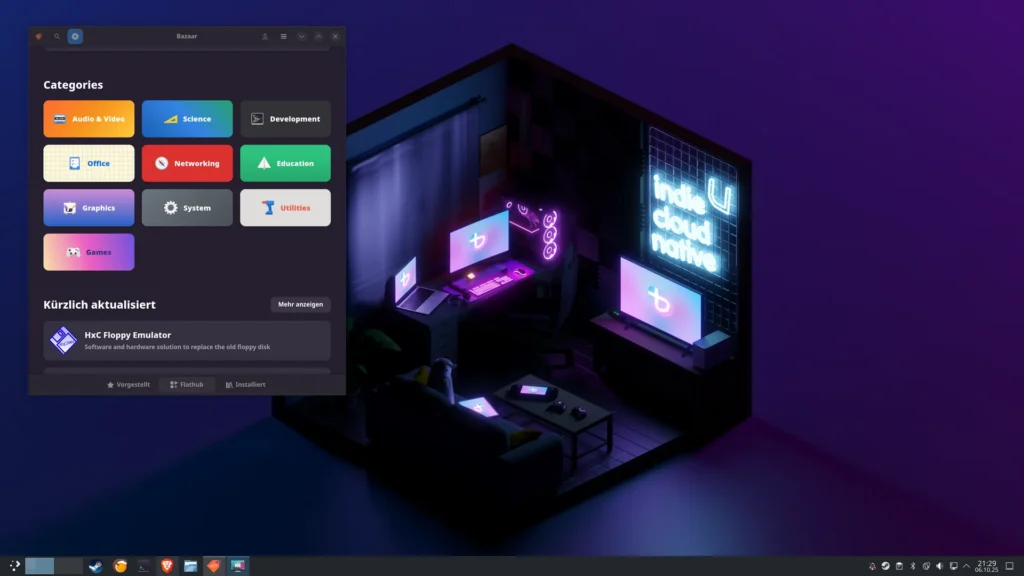
Best for. People who mainly use their PC for games and want a system that feels a bit like a console. Handhelds such as the ROG Ally or Legion Go get their own edition that boots straight into a game mode like on the Steam Deck.
Not ideal for. Anyone who wants to tinker with the system itself or install traditional packages – Bazzite deliberately limits that. Apps come from the Bazaar app store; everything else has workarounds that take some learning. And if you rarely play games, Mint or Zorin will be simpler.
Which version. On bazzite.gg you pick your device, graphics card and desktop. KDE Plasma is the default. Nvidia cards get their own versions: one for RTX cards and the GTX 16 series, one for the older GTX 900 and 1000 series. Anything older is no longer supported by Nvidia itself.
Good to know. With Secure Boot on, you enroll a key during installation; the password is in the installation guide. The live version for trying Bazzite from a USB stick is still in beta – if it doesn’t run smoothly, that says little about the installed system.
Help. The Bazzite documentation, the Universal Blue forum and Discord.
CachyOS
CachyOS is based on Arch Linux and squeezes a lot out of modern hardware with optimized packages and its own kernel. It has topped DistroWatch’s page-hit ranking since 2025 – that counts page views rather than users, but it shows how much interest there is. I run CachyOS myself on my laptop.
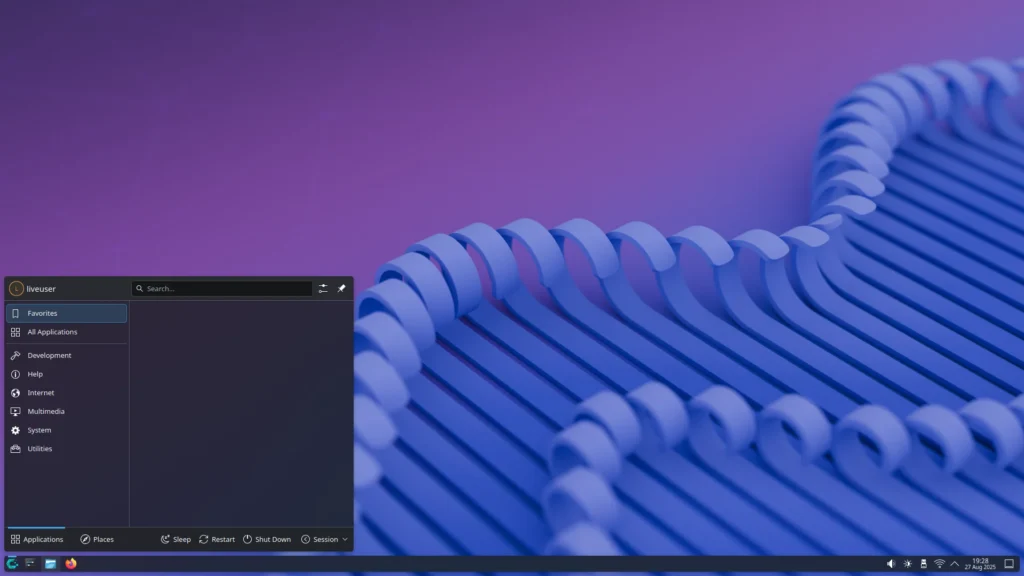
Best for. People who like to get hands-on and always want the latest drivers and apps, especially for gaming. Despite the Arch base, installation is graphical and very manageable.
Not ideal for. Anyone who wants a system they never have to think about. CachyOS is a rolling release: updates arrive continuously instead of in versions, and every now and then one asks you to read up before you install it.
Which version. The desktop version from cachyos.org. You choose the desktop in the installer; KDE Plasma sits at the top of a list sorted from beginner-friendly to advanced. Handhelds get their own edition.
Good to know. The live system already detects Nvidia cards, and CachyOS’s own tool chwd sets up the right driver for you – including on laptops with two graphics chips.
Help. The CachyOS wiki, the forum and Discord.
Why not Pop!_OS, Debian or Manjaro?
These are good distributions that didn’t make the cut – not because they’re bad, but because they don’t offer switchers a clear advantage over the six above.
- Pop!_OS has used its own COSMIC desktop since December 2025. Opinions are still split on whether it’s ready for everyday use – one to revisit later.
- Debian is rock solid and the foundation of Ubuntu, but Nvidia drivers and new hardware take more manual work.
- Manjaro is Arch-based like CachyOS but doesn’t give beginners anything CachyOS doesn’t.
- NixOS describes your entire system in a configuration file written in its own language: to change something, you edit the file and rebuild the system – and any change can be rolled back at startup. That’s great for tinkerers who like to code. For switching from Windows, though, it’s the steepest start of all: many Linux guides don’t apply, and Linux programs you download ready-made often only run with extra steps. Once you’re comfortable with CachyOS, NixOS is worth a look.
- Kubuntu, openSUSE, elementary OS and MX Linux are solid choices, just without a clear lead for Windows switchers.
Which one is right for you?
Still torn? The Linux quiz makes the call for you and also tells you what won’t work for you on Linux – certain anti-cheat games, for example, or Windows programs without a replacement. And trying costs nothing: the step-by-step guide shows how to run a distro from a USB stick without changing anything on your computer.
Do you stream or game? Read Streaming on Linux and Gaming on Linux first.
Last updated: October 2026
Keep reading