

Everything you need as a streamer or moderator, in a single dashboard: ByteMate combines a complete Twitch bot with practical streaming tools and a modern interface – free and without programming knowledge.
What is ByteMate?
ByteMate is a free Twitch bot dashboard designed specifically for streamers and moderators. Instead of running various tools and bots side-by-side, ByteMate bundles everything in one place: from chat bots and alerts to giveaways and OBS-ready overlays.
Setup takes less than five minutes. Simply log in with your Twitch account, add the bot to your channel, grant moderator permissions – and you're done. All functions are configured via the dashboard, completely without coding.
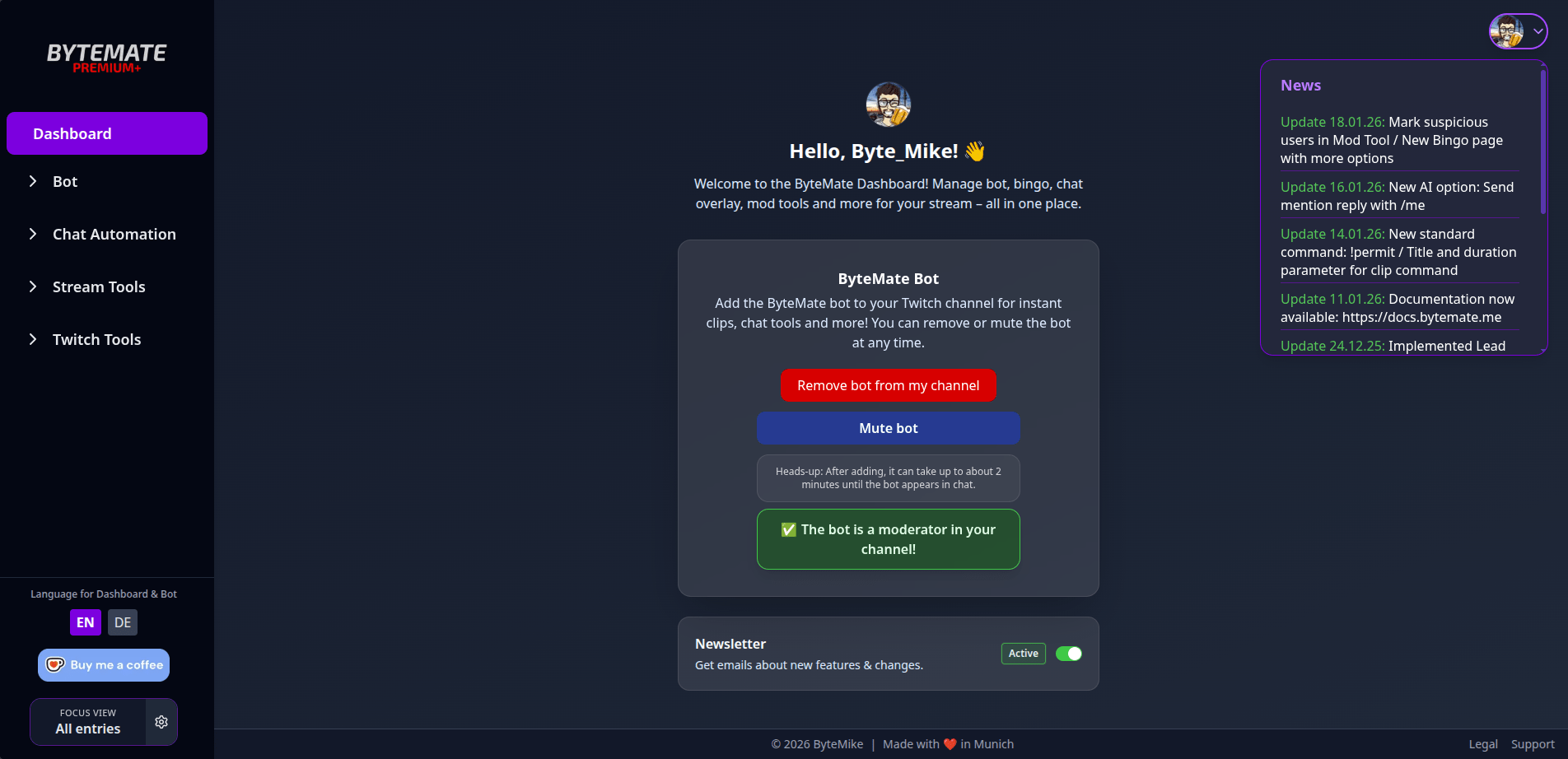
ByteMate Features Overview
Twitch Bot
ByteMate includes a fully functional Twitch bot that is controlled directly via the dashboard:
- Custom Commands: Create, edit, and manage your own chat commands. In addition to custom commands, pre-made standard commands are also available.
- Chat Alerts: Automatic notifications in the chat for follows, subs, raids, cheers and other Twitch events.
- Timer: Automatically post recurring messages in the chat at freely adjustable intervals.
- Counter: Counters for deaths, wins, or any other values controlled via chat command.
- Quotes: Collect funny or memorable quotes from the stream and retrieve them via command.
- Watch time tracking: Automatically track viewer watch time. Import existing StreamElements data is possible.
- Giveaways: Create and run raffles directly in the dashboard, without external tools.
- Raid Shoutouts: Automatically welcome incoming raids in the chat.
- Polls: Start and evaluate surveys directly from the dashboard.
- VIP Car: Automatic VIP allocation based on self-defined criteria.
Moderation tools
- Mod Access: Channel owners can specify which dashboard areas their moderators are allowed to see and use – for all moderators or individually for each person. Inviting additional dashboard administrators is also possible.
- Multi-Channel Mod Tool (Premium): Ban, time out, or restrict Twitch users on multiple channels simultaneously.
Twitch Tools
- Clip Finder: Find and manage clips for each channel directly in the dashboard.
- Raid Tracker: Overview of all incoming and outgoing raids.
- Subathon Timer (Premium): Countdown timer for Subathon events, which automatically extends with new subs/follows etc.
AI & Integrations
- Ko-fi & Tipeeestream Integration: Record and process donation events directly in the dashboard.
- AI in chat (Premium): AI-powered answers directly in the Twitch chat for more interaction.
- Discord Alerts (Premium): Automatically send stream notifications to your Discord server.
Stream overlays (OBS-ready)
In addition to the bot, ByteMate offers practical streaming tools that can be integrated as a browser source into OBS, Streamlabs or XSplit:
- Chat Overlay: Display Twitch chat in your stream, with 7TV emotes, badges, and profile pictures. Over 6 design styles such as Glass, Neon, or Cyberpunk. Customizable colors, fonts, and layout.
- Bingo Overlay: Interactive bingo for the community. Define your own fields, integrate the overlay into OBS, and play together.
- Clip Command: Viewers can create highlights using the !clip command. Compatible with Nightbot, StreamElements, Fossabot, and Moobot.
Free vs. Premium
ByteMate is free to use – most features are available without restrictions. Optional premium plans are available for extended features.
feature | For free | Premium |
Custom commands, alerts, timers, counters | ✓ | ✓ |
Watch time, quotes, giveaways | ✓ | ✓ |
Raid shoutouts, polls, auto VIP | ✓ | ✓ |
Chat Overlay, Bingo Overlay, Clip Command | ✓ | ✓ |
Clip Finder, Raid Tracker, Mod Access | ✓ | ✓ |
Ko-fi & Tipeeestream integration | ✓ | ✓ |
AI in chat | – | Premium |
Discord Alerts | – | Premium |
Auto Raid Shoutouts | – | Premium |
Subathon Timer | – | Premium |
Change chat identity | – | Premium |
Multi-Channel Mod Tool | – | Premium |
Bingo Overlay (Extended) | – | Premium |
Premium = ByteMate Premium (from €3.99/month or €39.99/year). Mod tool only: €0.99/month. All other features are free.
Quick start in 5 minutes
- Open dashboard: Go to bytemate.me and log in with your Twitch account.
- Add bot: Click on "Add bot to channel" and grant the ByteMate bot mod rights (or type /mod ByteMate in Twitch chat).
- Select language: You can set the language for the dashboard and bot messages using the language switcher in the bottom left corner of the dashboard.
- Configure features: Activate bot commands, chat alerts, timers, and any other features you wish to use.
- Stream: Done! ByteMate is running in the background and taking care of your chat.
Why ByteMate?
Classic Twitch bots like Nightbot or StreamElements cover the basics – ByteMate goes a step further. Instead of just offering a bot, ByteMate combines a chat bot, moderation tools, Twitch analytics, and stream overlays in a single dashboard.
- Everything in one place: No switching between different websites and tools.
- Modern UI: A clear, uncluttered interface instead of overloaded menus.
- Generous free tier: Most features can be used without payment.
- Mod access: Moderators can work directly in the dashboard, with individually controllable permissions.
- AI integration: Smart chat responses as a premium feature.
- German surface: Fully usable in German (and English).
You can find detailed comparisons on the blog: ByteMate vs. Nightbot and ByteMate vs. StreamElements
Is ByteMate free?
Yes, ByteMate is free to use. Most features – including custom commands, chat alerts, timers, watch time, giveaways, and stream overlays – are available at no cost. For advanced features like AI in chat, Discord alerts, or the Subathon timer, there are optional premium plans starting at €3.99/month.
Do I need programming skills?
No. ByteMate is controlled entirely via a graphical dashboard. All functions can be activated and configured with a click – completely without coding.
Does ByteMate work with OBS Studio?
Yes. The stream overlays (chat overlay, bingo overlay) are integrated into OBS as a browser source. They also work with Streamlabs and XSplit.
Does ByteMate also support YouTube?
ByteMate currently specializes in Twitch. YouTube support is planned for the future.
Can I import my StreamElements watch time?
Yes, ByteMate offers an import function for existing StreamElements watchtime data.
Can my mods use the dashboard?
Yes. The Mod Access function lets you define which areas of the dashboard your moderators are allowed to see and edit – globally or individually per moderator.
Which languages are supported?
ByteMate is available in German and English. The language is switched via the dashboard and applies to both the user interface and bot messages in the chat.
Set up your Twitch Bot Dashboard in under five minutes – free and without installation.
👉 Try ByteMate for free: bytemate.me
📖 Documentation: docs.bytemate.me